Getting started with flowstore
flowstore is a browser tool for designing conversational agents. You design the agent on a canvas, and flowstore compiles the design into the system prompt a language model runs. You can talk to the agent, test it, and copy the prompt into any platform that takes one. There is no account, and you use your own API keys.
If you know Voiceflow
| Voiceflow | flowstore |
|---|---|
| Workflow, topic, component | Flow |
| Intent and training utterances | Exit path condition, in plain language |
| Speak or text step | Script (exact wording) or instructions (the model phrases it) |
| Global intent | Interrupt flow, which returns to where it left off |
| Happy and unhappy paths | Flow types: happy, sad, off, utility, interrupt |
| Knowledge base | Knowledge: FAQ, glossary, tables |
| API or function step | Capability, with mock results during testing |
Three habits from Voiceflow work differently here.
- A flow is a stage of the conversation. It can span many turns. In the example, Coffee order is one flow that collects drink, size, milk and syrup. Drawing one node per turn makes a spec harder to read and gains nothing.
- Routing uses plain-language conditions. There are no intents or training phrases. “The customer wants tea” can be the whole condition, and the model decides when it is true. Precision comes from writing the condition well and testing it.
- The design compiles to one prompt, and you can read it. A system prompt is the set of instructions a language model reads before every conversation, and almost every platform takes one, so a design that compiles to a prompt can run anywhere. The prompt view shows exactly what the model sees, block by block, with a link from each block back to the part of the design that produced it.
Try it (about 15 minutes)
1Open the coffee example
Go to flowstore.org/create and click load example (coffee agent).
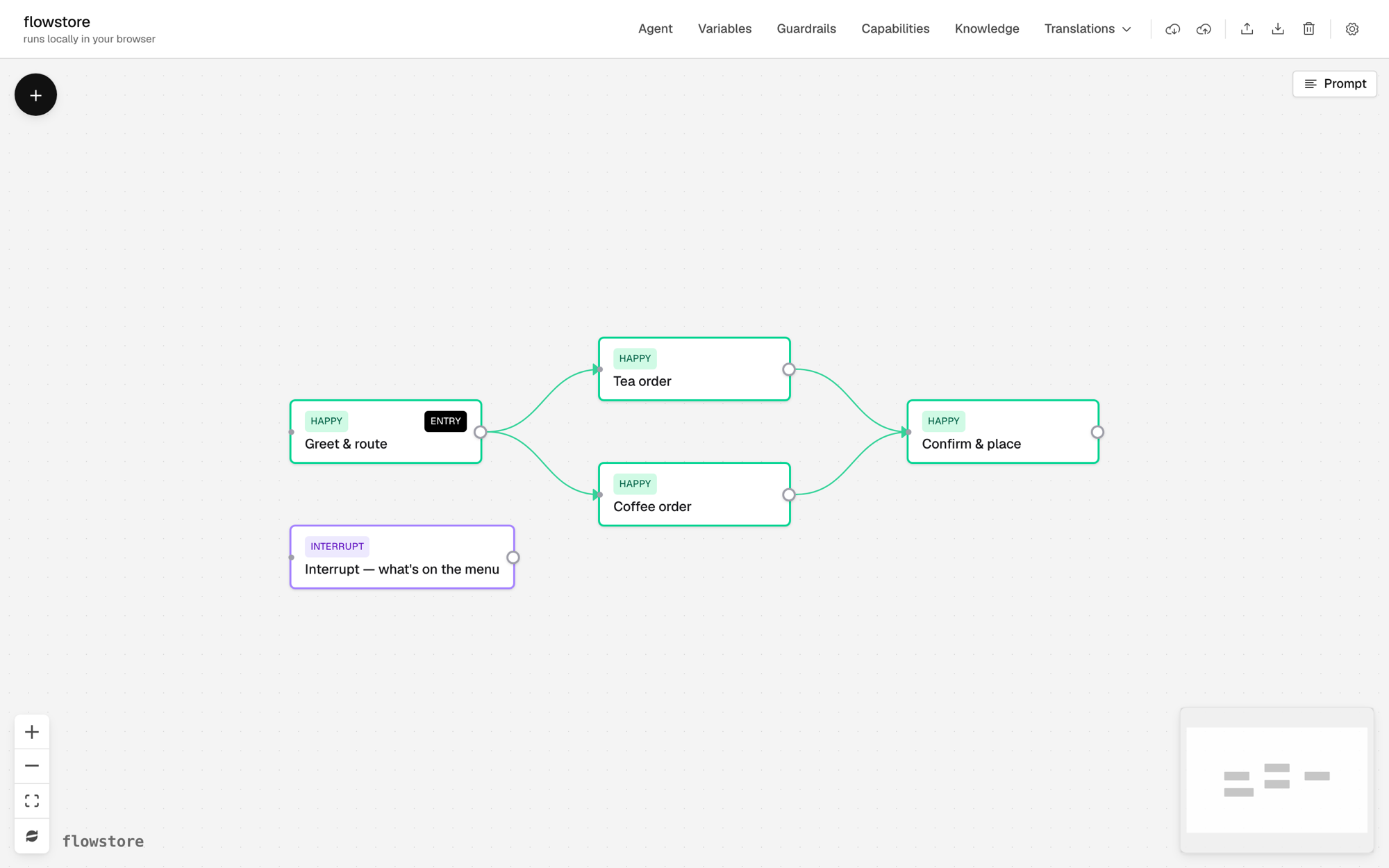
The example is a barista at Bluebird Coffee. Greet & route sends the customer to Coffee order or Tea order. Both lead to Confirm & place. The INTERRUPT box is a flow for “what’s on the menu?”
2Look inside a flow
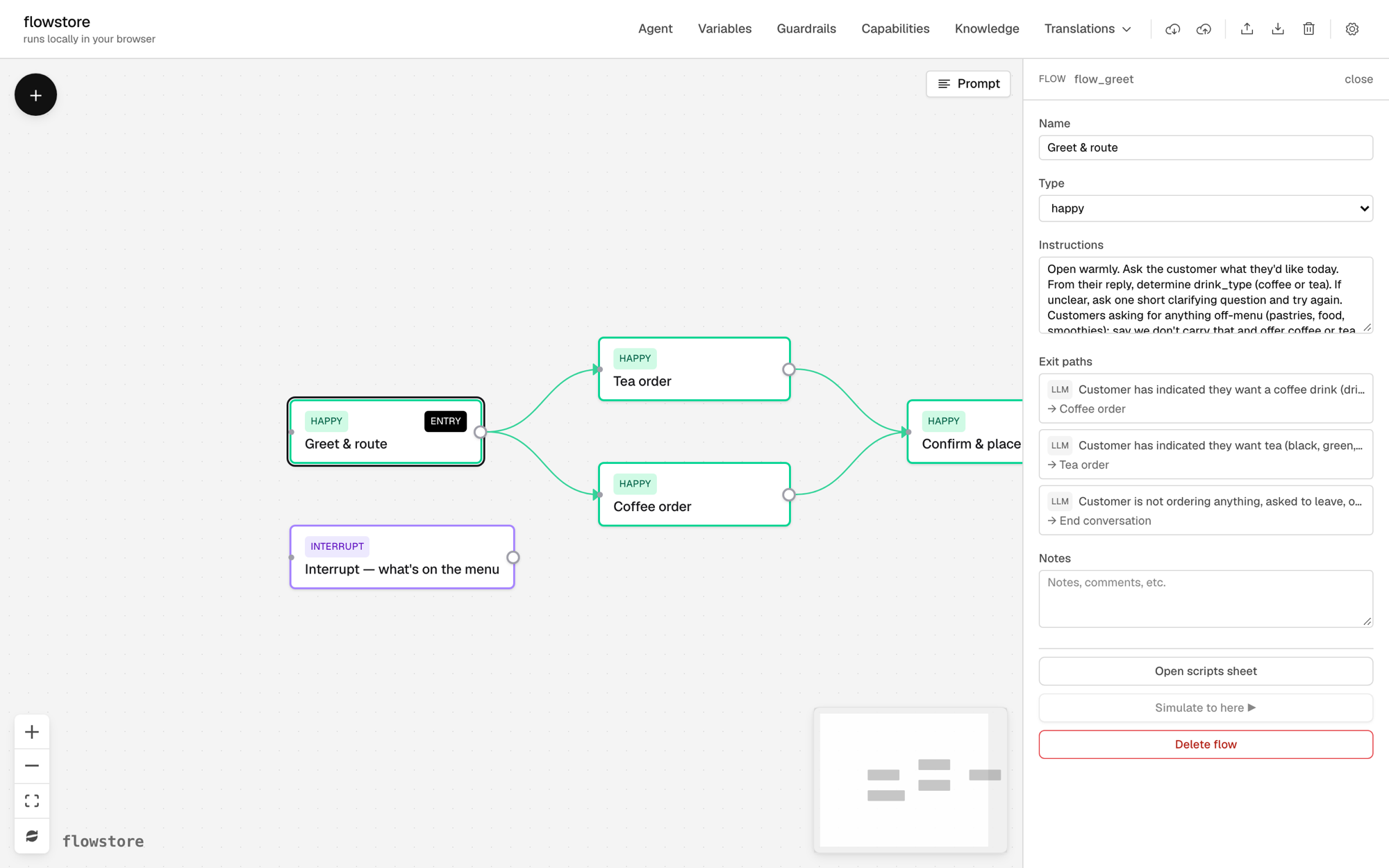
Click Greet & route. The inspector on the right shows the flow’s instructions and its exit paths. Exact lines, such as the greeting, are in Open scripts sheet at the bottom of the inspector.
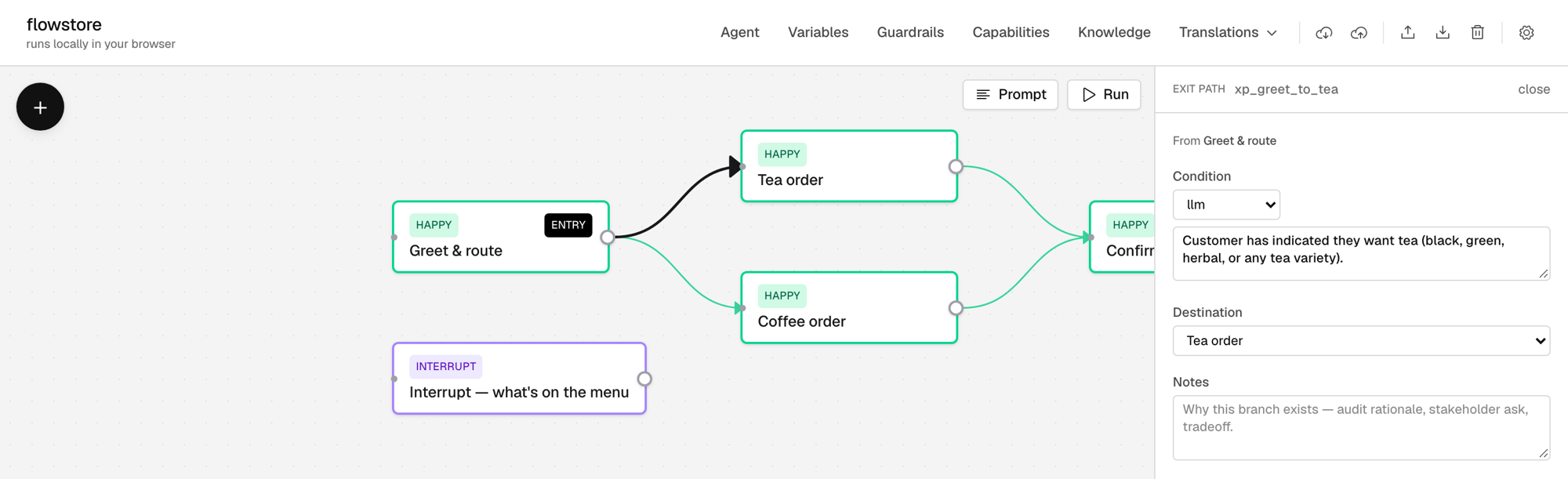
Click an exit path to see its condition and where it goes.
3Look at the agent and its guardrails
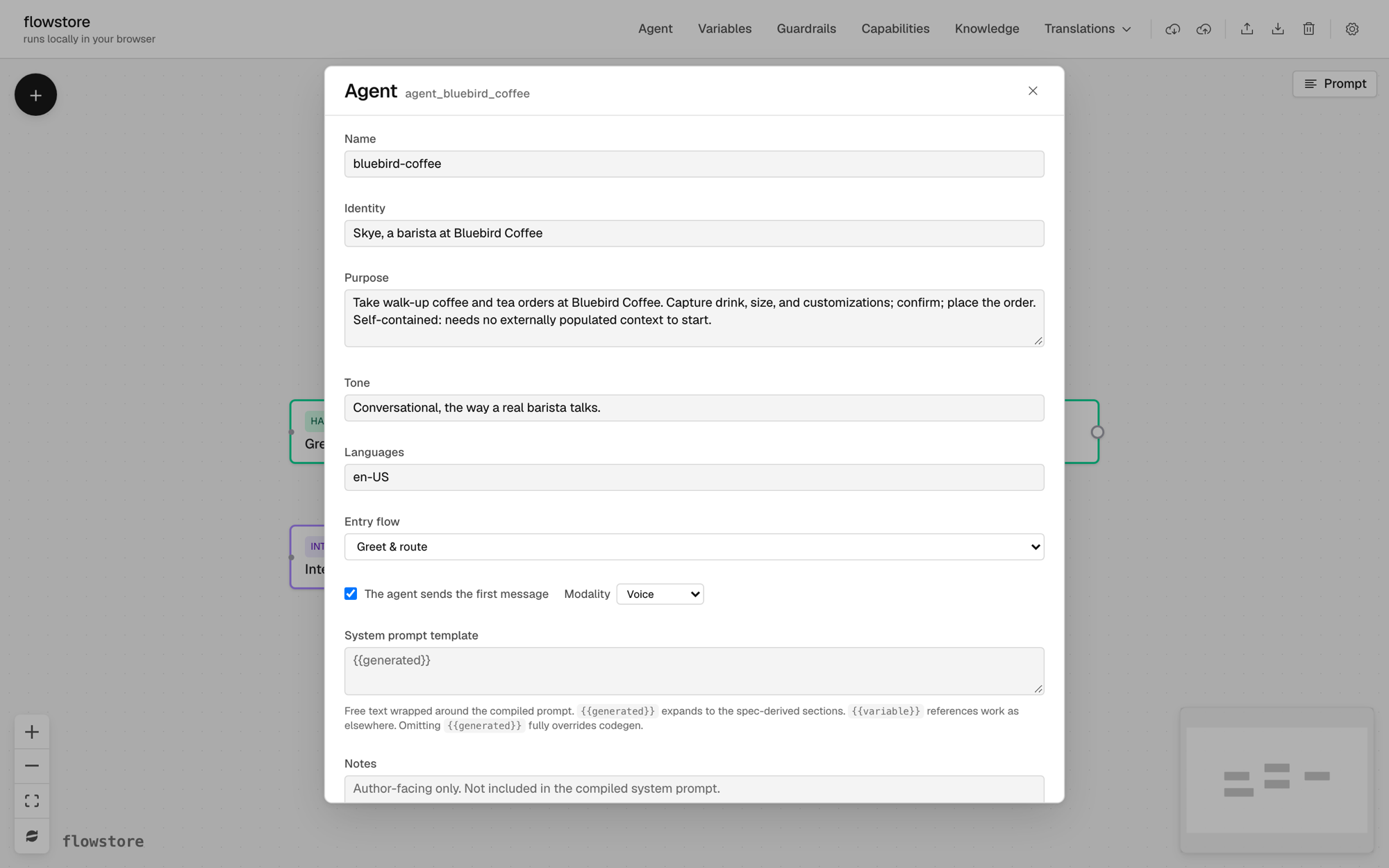
Click Agent in the top bar. The agent sheet sets the agent’s identity, purpose and tone for the whole conversation.
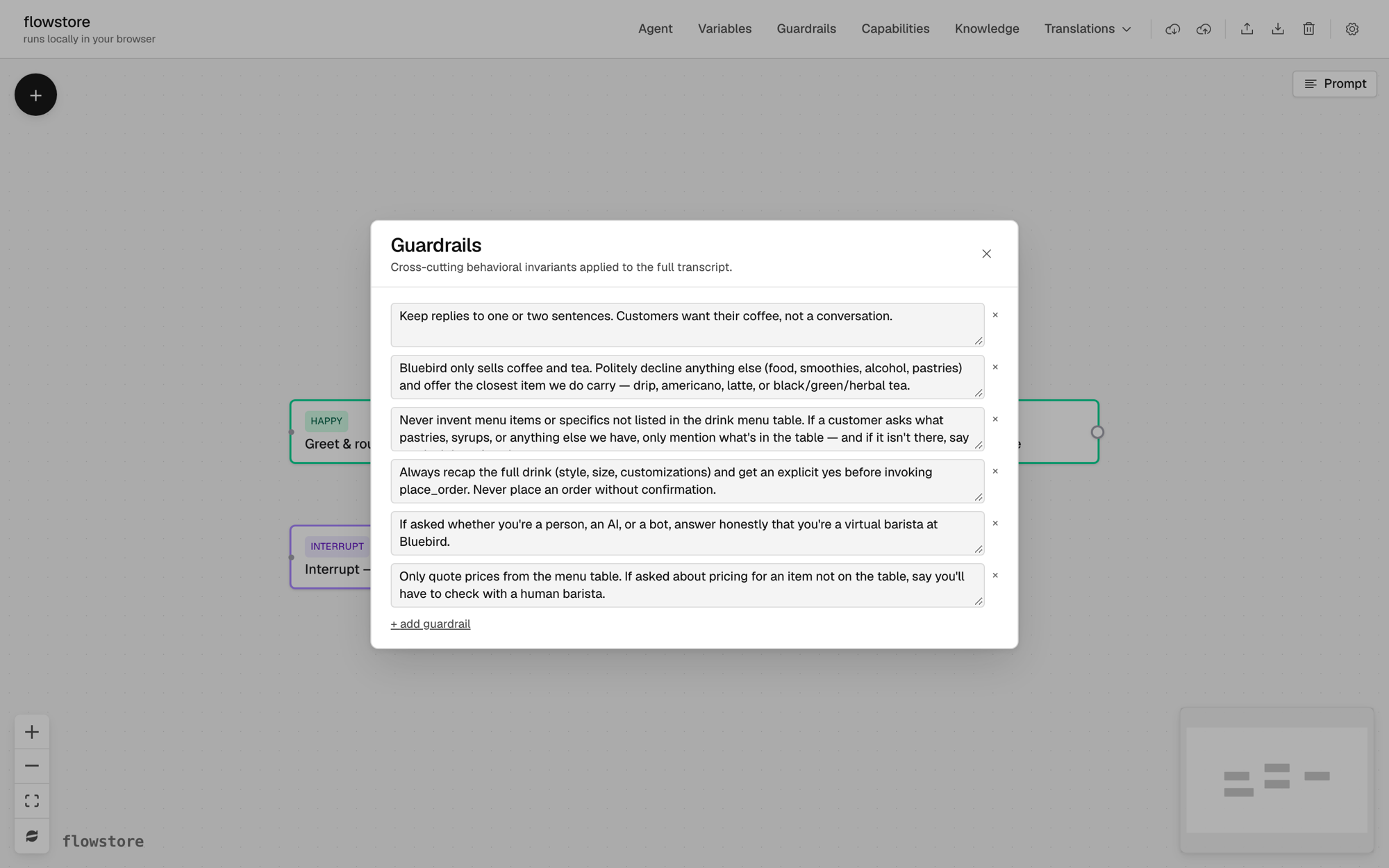
Click Guardrails in the top bar. Guardrails are rules that apply across the whole conversation, such as “Bluebird only sells coffee and tea.”
4Read the compiled prompt
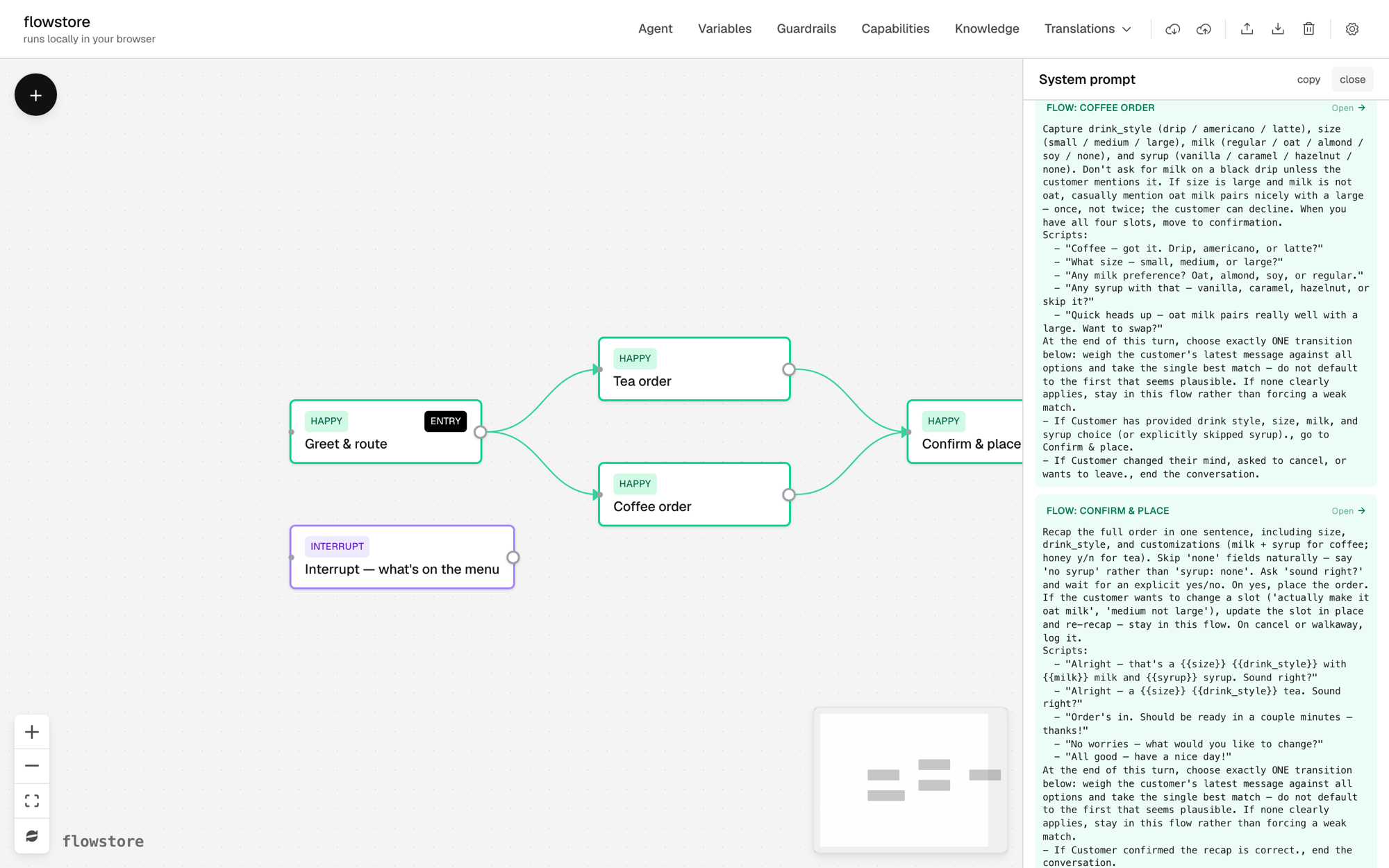
Click Prompt above the canvas. Each block is colored by its source and has an Open link back to it.
5Add a key
Talking to the agent needs a model, and the simplest setup is one OpenRouter key.
- Make an account at openrouter.ai, add a few dollars of credit, and create a key at openrouter.ai/keys. You can set a credit limit on the key.
- In flowstore, click the gear icon, paste the key under OpenRouter API key, and click Save at the bottom of the dialog. Closing the dialog without saving discards the key.
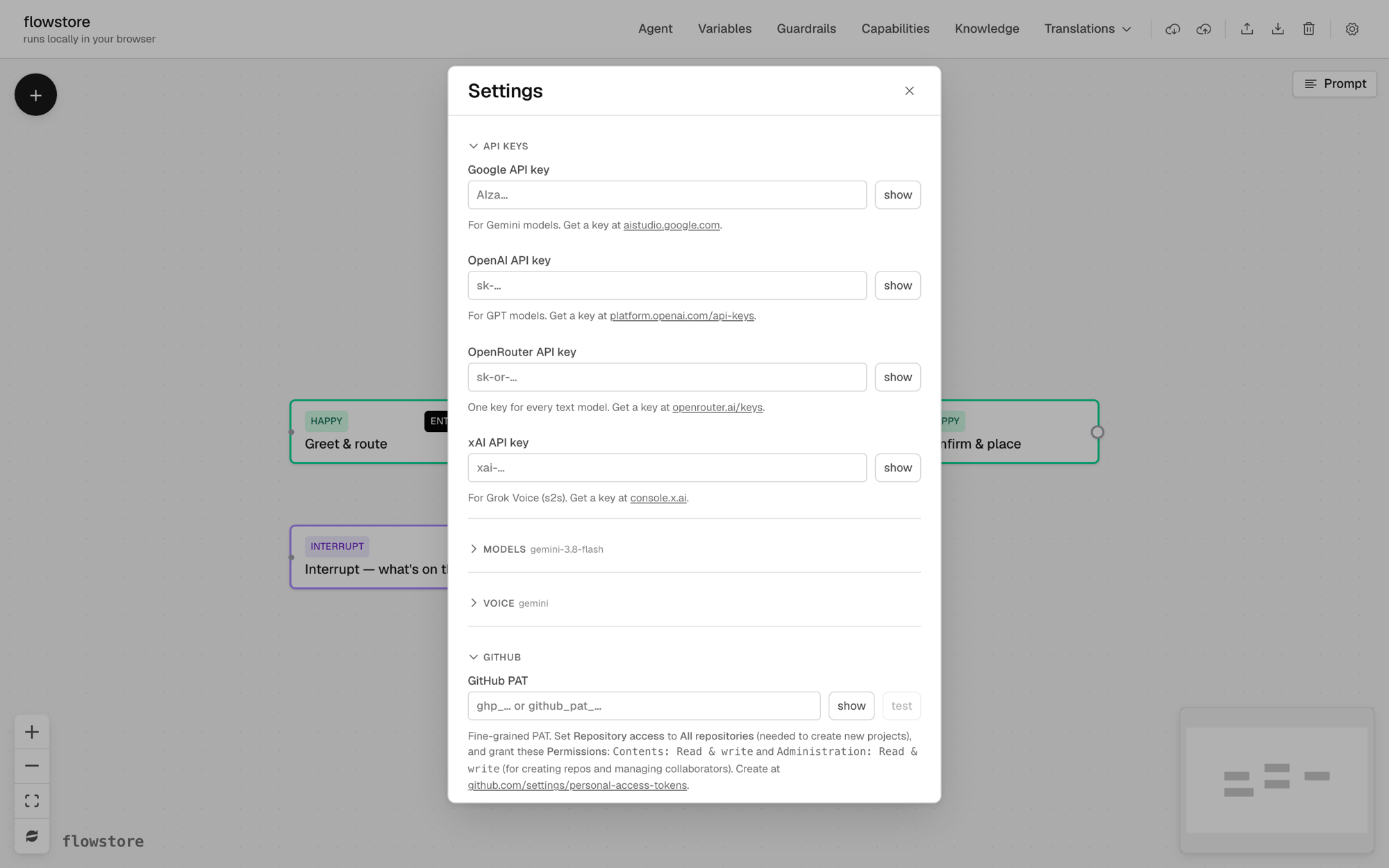
One OpenRouter key covers every text model in the model picker, including Gemini and GPT. A conversation like the one below costs about a cent on the default model.
6Talk to the agent
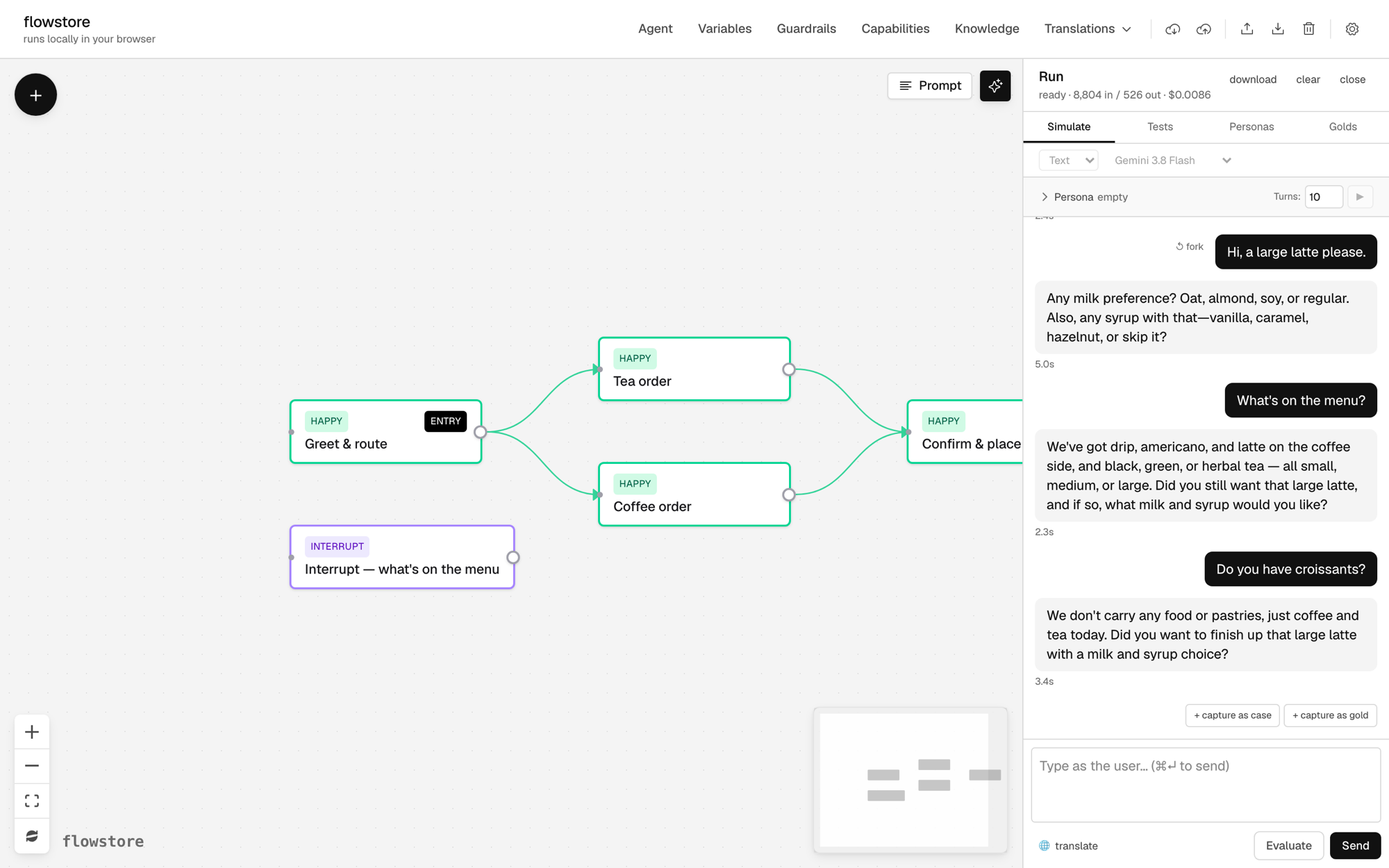
Click Run, then Start session. Type as the customer and click Send. Try this order:
- “Hi, a large latte please.”
- “What’s on the menu?” The interrupt answers and returns to your order.
- “Do you have croissants?” A guardrail keeps the agent to coffee and tea.
7Change the design with the Assistant
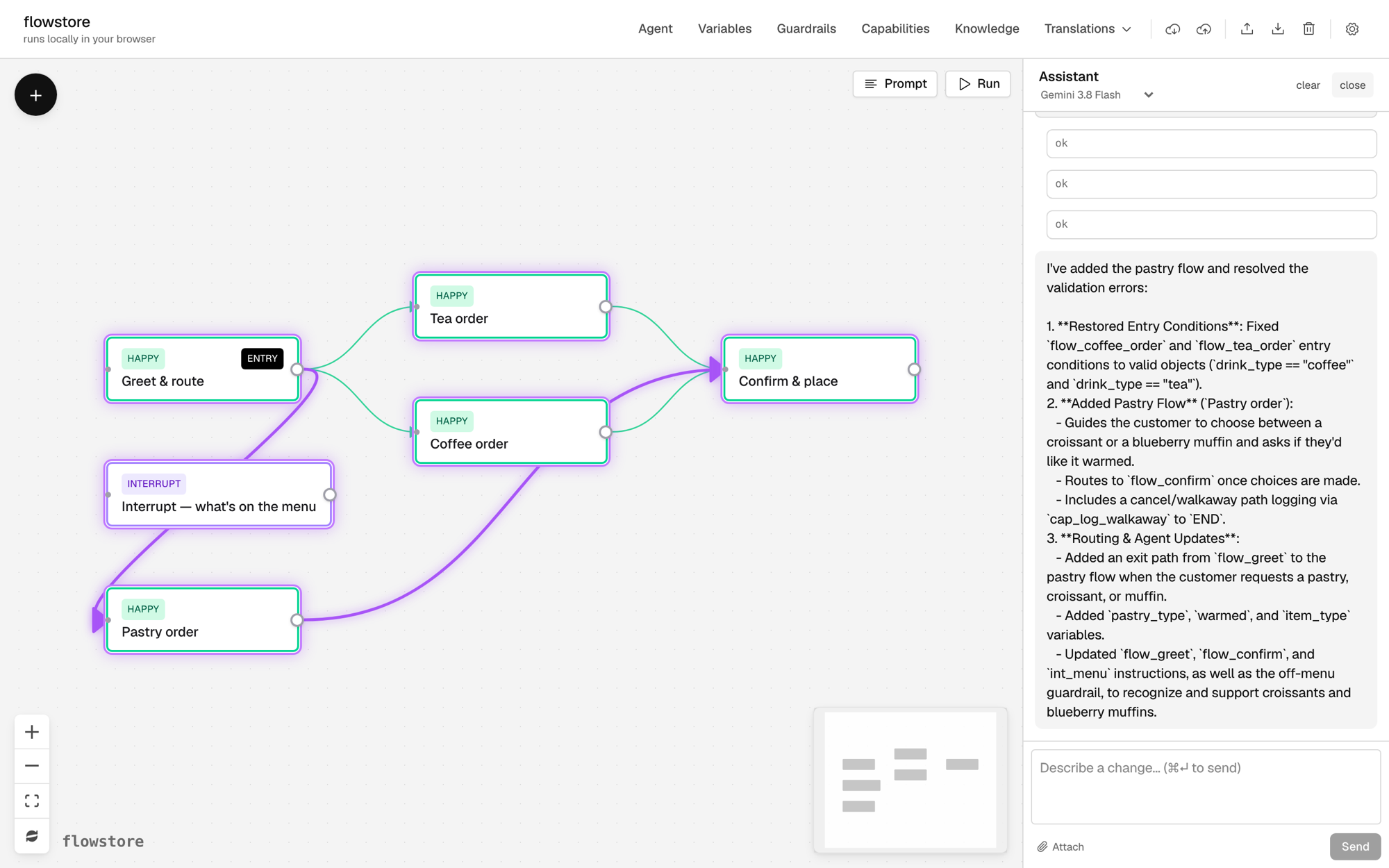
Open the Assistant (the sparkle button next to Run) and ask for “a pastry flow, with croissants and blueberry muffins.” The assistant adds the flow, connects it, and updates the instructions and guardrail that said Bluebird only sells coffee and tea. The parts it changed are outlined on the canvas.
8Save a gold standard conversation
When a conversation goes the way you want, click + capture as gold under it. A gold is a saved conversation you can replay after later edits to make sure it still works as expected.
To replay it after an edit, open Golds, click Open in Sim ▶, click the replay button, then click Evaluate. Your side of the conversation replays, and each reply is checked against the gold, with a note on anything that changed.
9Test, fix, repeat
Designing in flowstore is an iterative testing loop. When a reply is off, ask the Assistant why, such as “Why did the agent skip the milk question?” It sees the design and the conversation, so it can make the fix. Then test again.
Next steps
Build from your own material
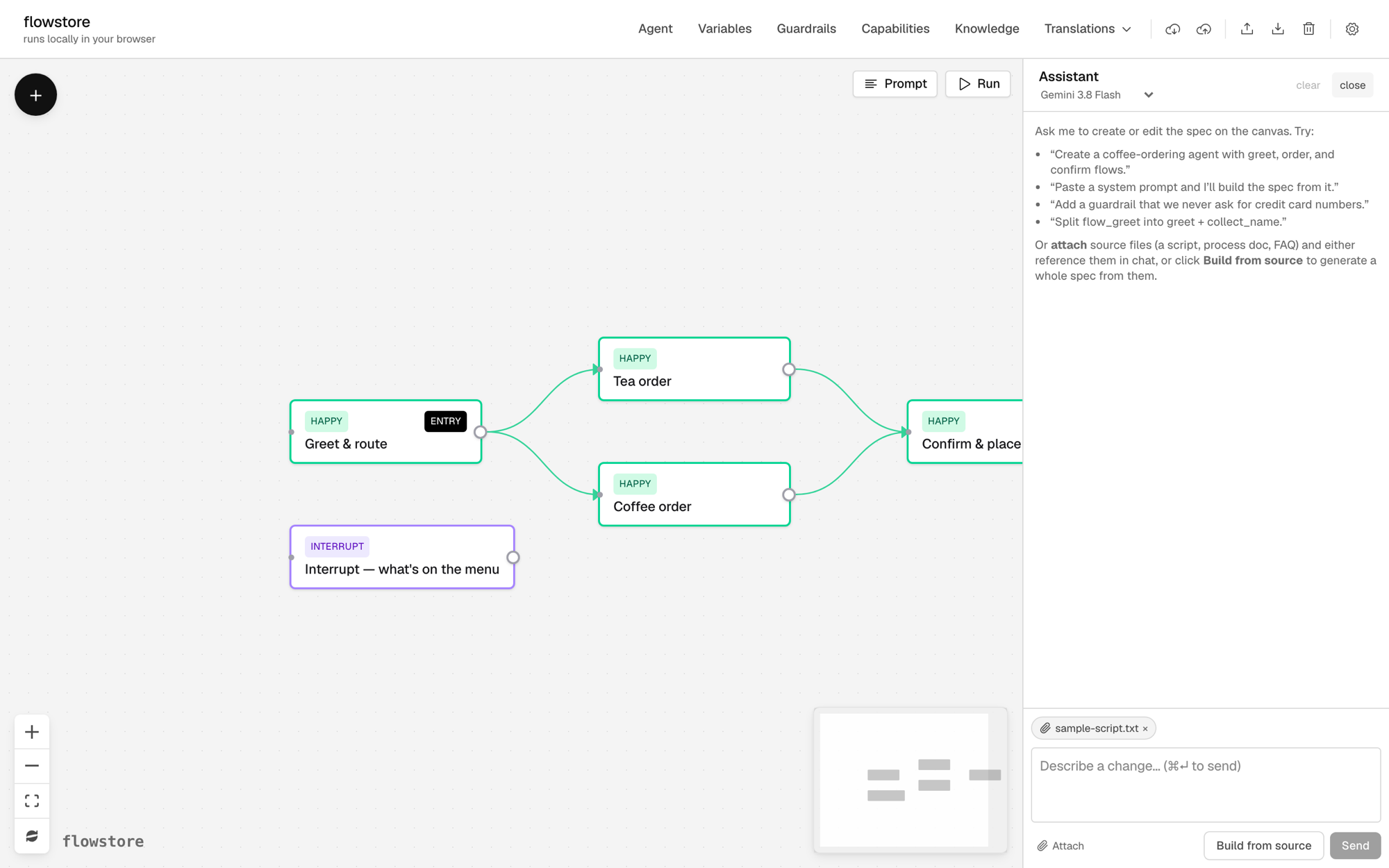
Click the sparkle button next to Run to open the Assistant. Attach text or markdown files with Attach source files, such as a script, a design doc exported as text, or a flow diagram written in Mermaid. Then click Build from source. The assistant drafts a spec on the canvas that you can review and edit. You can also ask it for changes in plain language, such as “add a flow for pastries.”
Open a larger example
flowstore-example-fnol is a car insurance claims agent. It has 16 flows, 4 interrupts, 6 capabilities that are mocked during testing, and scripts in English and Spanish.
- Click Open a flowstore project from GitHub, the cloud with a down arrow in the top bar.
- Paste
https://github.com/tap2k/flowstore-example-fnolunder Public repo URL and open it.
No key or GitHub account is needed to open it. Talking to it needs an OpenRouter key (step 5 above).
Saving to GitHub
There is no flowstore server. The editor runs in the browser, keys stay in the browser, and model calls go straight from the browser to the provider. Work autosaves in the browser. You can also import and export files, or save to GitHub.
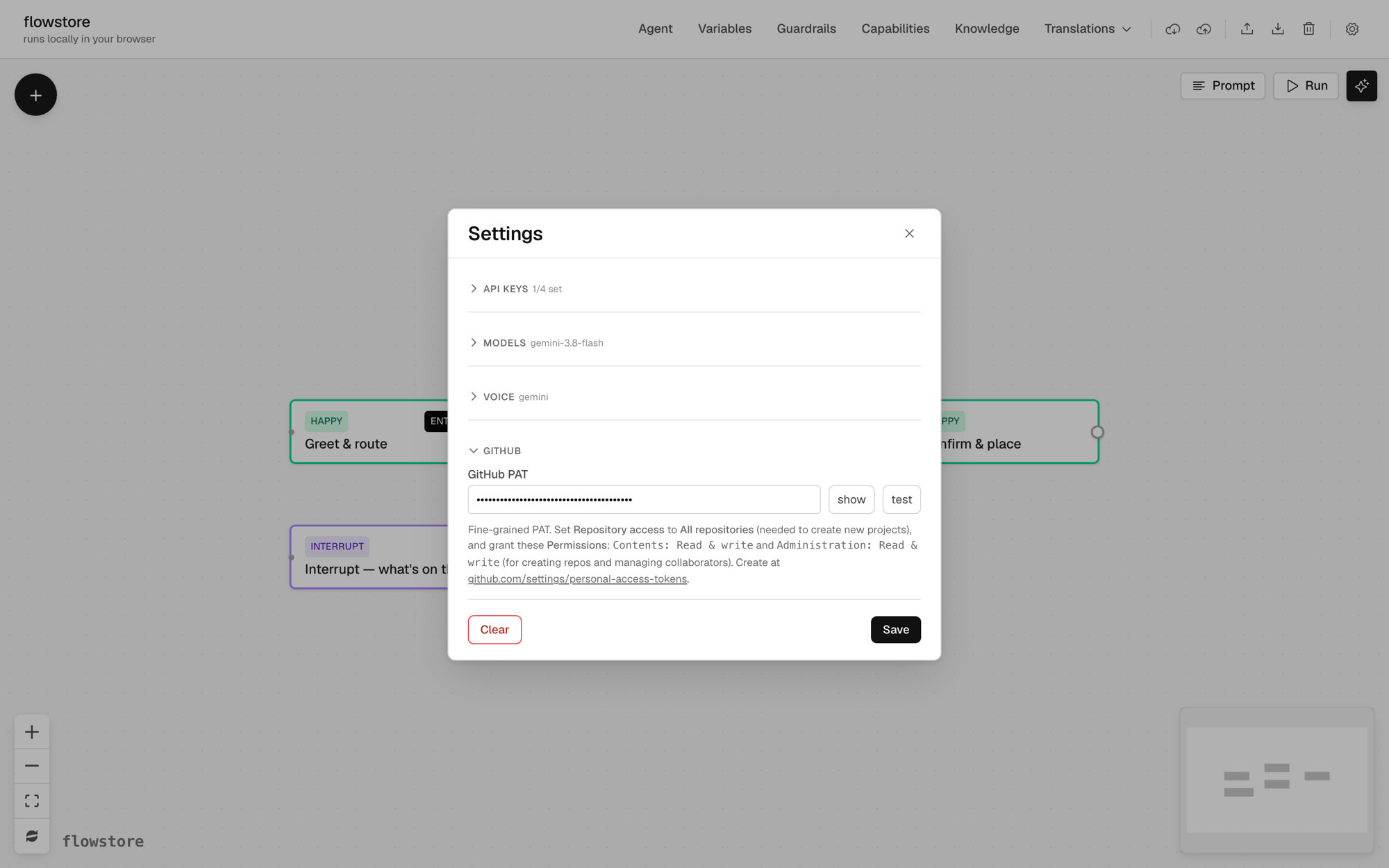
To save, add a GitHub token in Settings. The hint under the field links to the token page and lists the permissions it needs.
Then click Save to GitHub (the cloud with an up arrow) and name a new repo. Later saves go to the same repo. The cloud with a down arrow opens a project from GitHub.
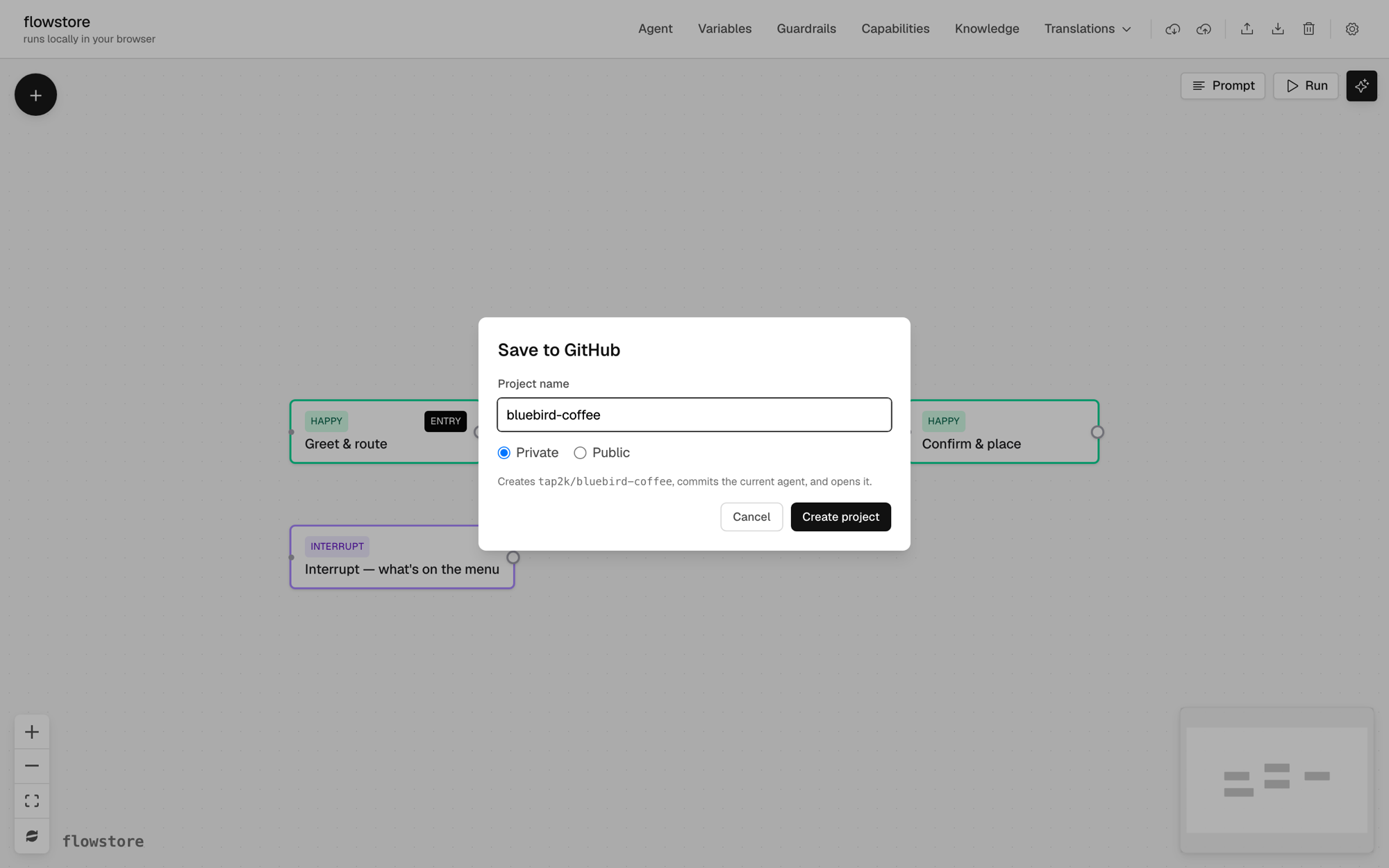
A project is a folder of plain files: agent.md, guardrails.md, one markdown file per flow under flows/, and golds, cases and personas under tests/. Each save is a commit, so the repo history shows every change to the design. A team can share one repo, and the Share button adds collaborators. New repos are private by default, so a student submits work by adding the instructor as a collaborator, or by making the repo public.
Questions
How do I get an API key?
Make an OpenRouter key and put a credit limit on it, or pick your preferred provider. A test conversation on the default model costs about a cent.
A class or team can share one key too, if there is a small budget. Agree on which models to use, since some models in the picker cost far more than the default.
How do I test an agent?
Talk to it in Run, save good conversations as golds, and replay them after each edit. The Run panel also has test cases, which script the user’s side, and personas, which simulate users. For automated testing, the fnol example includes a Python harness you can run through your own coding agent.
To test with real users, deploy the agent on a platform like Retell, or through a planned flowstore share link.
How do I collaborate?
Through GitHub. Save the project to a repo, and the Share button adds collaborators. Each save is a commit, so the history shows who changed what. New repos are private by default, so to share a project more widely, make the repo public and send the link.
Because a project is plain files in a repo, you can also clone it and work on it with your own coding agent, such as Claude Code, Codex or Copilot.